Power Automate Interview Questions & Answers (2026 Edition)
The Ultimate Enterprise Guide for Modern Automation Professionals
In today’s digital workplace, Microsoft Power Automate is no longer just a “workflow tool.” It has evolved into one of the most important automation platforms for modern organizations looking to streamline operations, reduce manual work, improve compliance, and accelerate decision-making.
As businesses continue investing heavily in Microsoft 365, SharePoint Online, Teams, Dataverse, and AI-driven automation, the demand for skilled Power Platform professionals continues to rise rapidly.
But here’s the reality most candidates discover too late:
Passing a Power Automate interview today requires more than memorizing triggers and actions.
Modern interviews now focus on:
- Real-world automation architecture
- Governance and scalability
- Error handling strategies
- Enterprise integration
- Security and compliance
- Troubleshooting complex workflows
- Business impact and operational efficiency
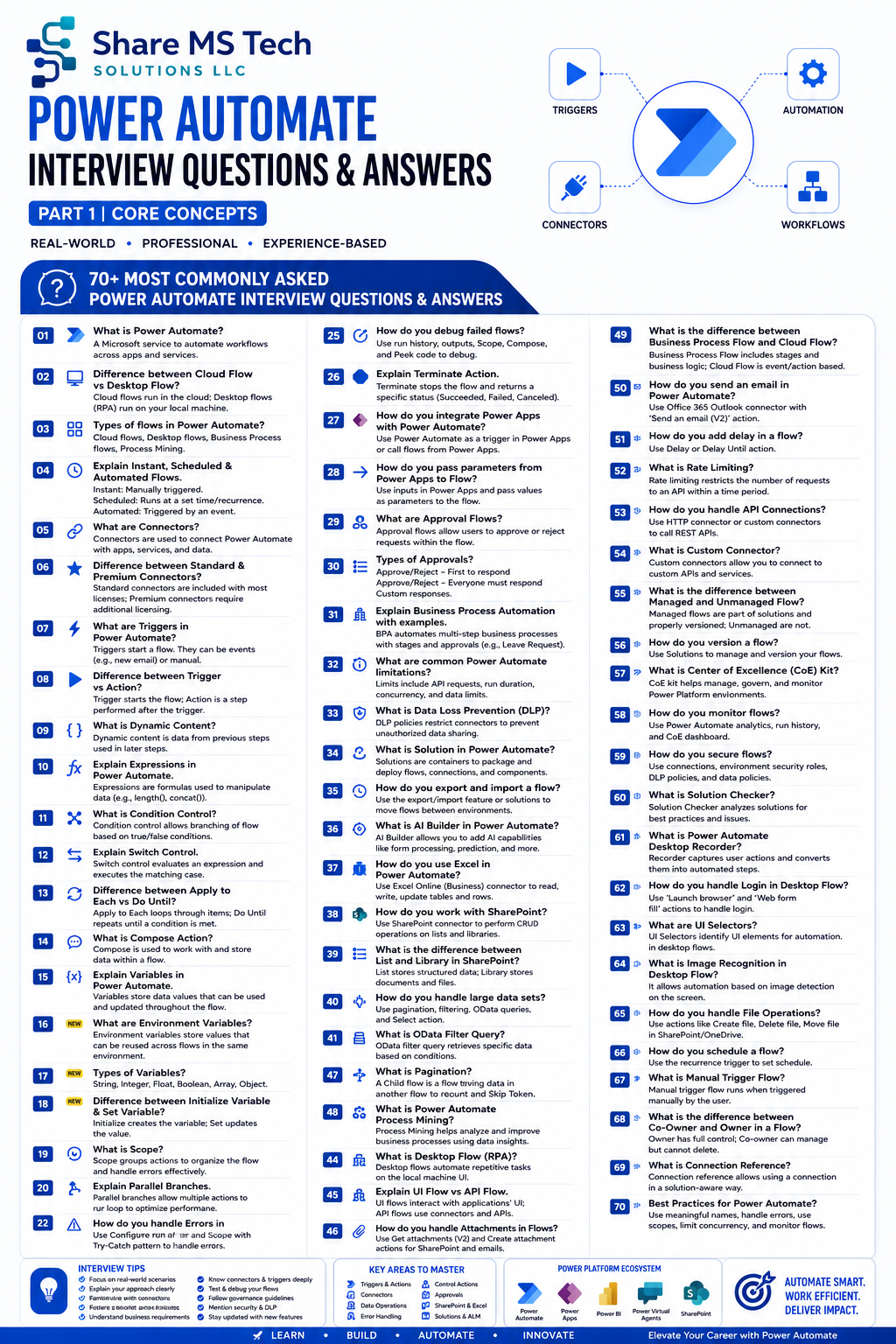
That’s exactly why I created this expanded Power Automate Interview Questions & Answers Infographic — designed specifically for developers, consultants, architects, administrators, and automation professionals preparing for real-world enterprise scenarios.
Why Power Automate Skills Are More Valuable Than Ever
Organizations are under pressure to:
- Automate repetitive processes
- Reduce operational costs
- Improve employee productivity
- Accelerate approvals
- Eliminate manual errors
- Connect disconnected systems
- Introduce AI-powered workflows
Power Automate sits at the center of all of this.
From simple notifications to enterprise-wide approval systems, robotic process automation (RPA), and AI-driven workflows — Power Automate has become a core business platform.
That’s why companies are aggressively hiring:
- Power Platform Developers
- SharePoint Developers
- Automation Engineers
- Solution Architects
- Microsoft 365 Consultants
- Workflow Specialists
- Digital Transformation Leads
What Makes Modern Power Automate Interviews Different?
Many candidates prepare only for beginner questions like:
- “What is a trigger?”
- “What is a connector?”
- “What is dynamic content?”
While those questions still appear, enterprise interviews go much deeper.
Today’s interviewers want to know whether you understand:
1. Architecture Thinking
Can you design scalable automation solutions?
2. Governance
Do you understand DLP policies, environments, security roles, and compliance?
3. Reliability
Can your flows recover from failures and handle exceptions properly?
4. Performance
Do you know how to optimize concurrency, API limits, pagination, and large datasets?
5. Integration
Can you connect SharePoint, Dataverse, Teams, Outlook, SQL, APIs, and external systems together?
6. Business Impact
Can you explain how automation improves operational efficiency and user experience?
Core Power Automate Topics Every Professional Should Know
Cloud Flows vs Desktop Flows (RPA)
One of the most common interview topics is understanding the difference between:
- Cloud Flows
- Desktop Flows
- Business Process Flows
Cloud Flows
Used for:
- SharePoint automation
- Email approvals
- Teams notifications
- Dataverse processes
- API integrations
Desktop Flows (RPA)
Used for:
- Legacy applications
- UI automation
- Screen scraping
- File manipulation
- Non-API systems
Modern organizations often combine both.
Example:
A cloud flow triggers a desktop flow to automate a legacy finance application.
Triggers, Actions, and Connectors
A strong understanding of triggers and connectors is foundational.
Common Interview Focus Areas:
- Instant vs Automated vs Scheduled flows
- Trigger conditions
- Connector authentication
- Standard vs Premium connectors
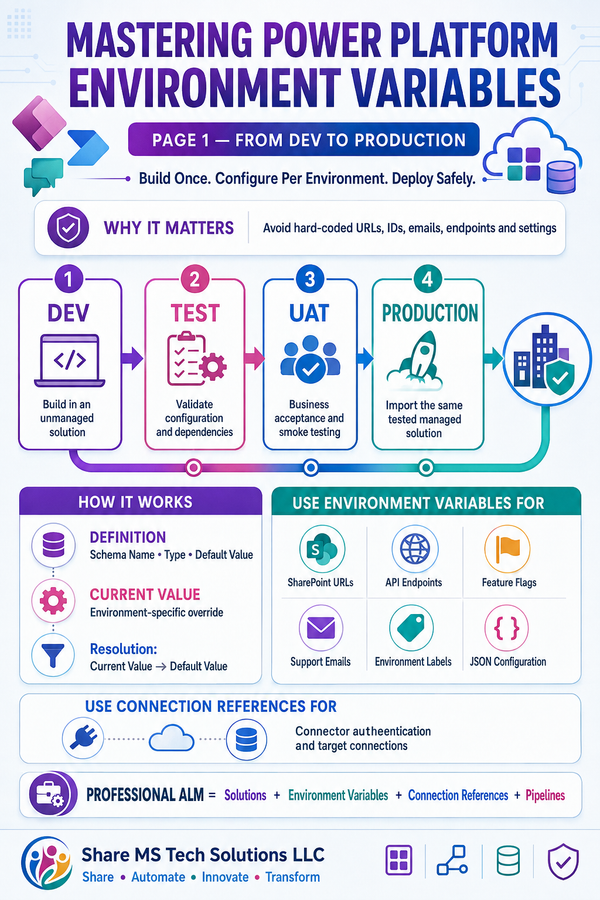
- Connection references
- API limitations
Many enterprise failures happen because developers underestimate connector behavior and licensing implications.
Error Handling & Flow Reliability
This is where experienced professionals stand out immediately.
Interviewers often ask:
- How do you handle failed flows?
- What is Configure Run After?
- What is Retry Policy?
- How do you debug failed runs?
Best Practice Enterprise Pattern:
Try-Catch-Finally Design
Using:
- Scope actions
- Configure Run After
- Logging
- Notifications
- Terminate actions
This creates resilient enterprise-grade automation.
Governance & Security
Power Automate governance is now one of the hottest enterprise topics.
Key Areas:
- Data Loss Prevention (DLP)
- Environment strategy
- Managed solutions
- Security roles
- Connection references
- Center of Excellence (CoE) Kit
Organizations are realizing:
Uncontrolled automation creates technical debt fast.
That’s why governance knowledge is becoming a major hiring advantage.
SharePoint + Power Automate Integration
One of the most valuable enterprise combinations remains:
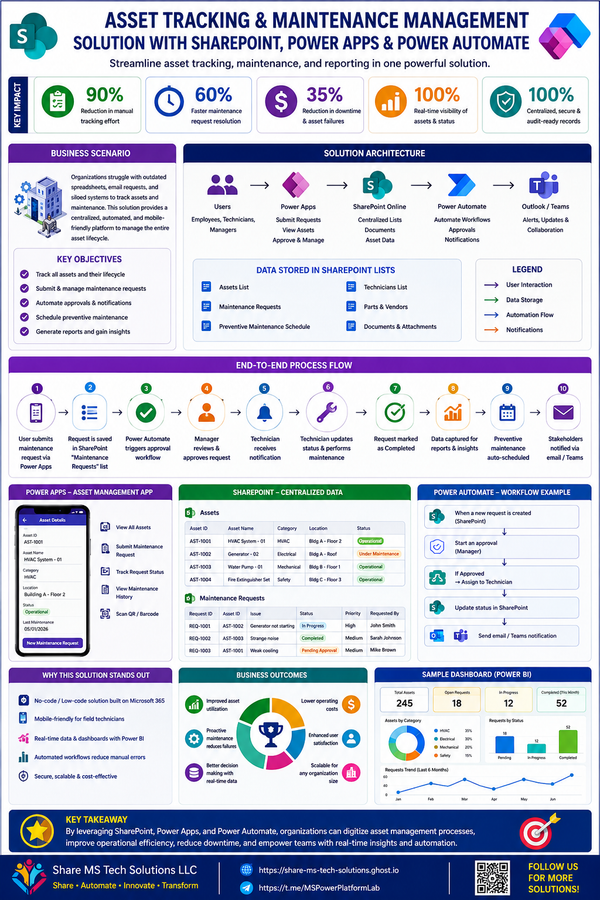
SharePoint + Power Automate
This combination powers:
- Approval systems
- Employee onboarding
- Document management
- Request tracking
- Metadata automation
- Governance workflows
Common interview questions include:
- How do you avoid infinite loops?
- How do you optimize large SharePoint libraries?
- How do you handle item permissions?
- How do you work with REST APIs?
- How do you manage concurrency issues?
Real-world experience matters heavily here.
Power Apps + Power Automate
Another increasingly common interview area is:
Power Apps integration with flows
Professionals should understand:
- Passing parameters from Power Apps
- Returning data to Power Apps
- Triggering flows from canvas apps
- Using flows for complex business logic
- File upload automation
- PDF generation
- Approval integration
Companies want developers who can build complete business solutions — not isolated workflows.
AI Builder & Intelligent Automation
The future of Power Automate is AI-driven automation.
Modern interviews increasingly ask about:
- AI Builder
- OCR
- Form Processing
- Prediction models
- Document automation
- AI-powered approvals
- Copilot integration
This is becoming one of the fastest-growing areas in the Microsoft ecosystem.
Common Mistakes Candidates Make
1. Memorizing Without Understanding
Interviewers quickly detect surface-level knowledge.
2. Ignoring Governance
Enterprise organizations care deeply about security and compliance.
3. No Real-World Examples
Strong candidates explain actual business scenarios.
4. Weak Troubleshooting Skills
Debugging ability often matters more than building simple flows.
5. No Architecture Thinking
Scalability separates junior from senior professionals.
How to Stand Out in a Power Automate Interview
Explain Business Value
Don’t just describe actions.
Explain outcomes.
Example:
Instead of saying:
“I built an approval flow.”
Say:
“I automated a multi-stage travel approval process that reduced manual processing time by 70% and improved audit visibility.”
That changes everything.
The Future of Power Automate Careers
The Microsoft ecosystem is rapidly evolving toward:
- AI-powered automation
- Intelligent agents
- Process mining
- Enterprise governance
- Low-code development at scale
Power Automate professionals who combine:
- Technical depth
- Business understanding
- Governance knowledge
- Architecture thinking
- AI awareness
…will continue to be in extremely high demand.
Final Thoughts
Power Automate is no longer just a productivity tool.
It’s becoming a core business automation platform driving digital transformation across industries.
The professionals who succeed in this space are not the ones who memorize documentation —
they’re the ones who understand how to solve real business problems with scalable, secure, intelligent automation.
This infographic was designed to help bridge that gap:
from learning features → to thinking like an enterprise automation architect.
If you're preparing for interviews, consulting projects, freelance work, or enterprise solution design, mastering these concepts can dramatically increase your value in today’s Microsoft ecosystem.
Follow for More
I’ll continue sharing:
- Power Platform architecture guides
- SharePoint automation strategies
- Enterprise governance tips
- Real-world Power Automate solutions
- Interview preparation resources
- Microsoft 365 best practices
#PowerAutomate #PowerPlatform #Microsoft365 #SharePoint #Automation #PowerApps #WorkflowAutomation #DigitalTransformation #RPA #AIBuilder #Dataverse #LowCode #SolutionArchitect #TechCareers #EnterpriseAutomation