Workflow Automation with Microsoft Power Automate (3rd Edition) Honest Review
Disclosure: This post contains an Amazon affiliate link. As an Amazon Associate, I earn from qualifying purchases at no extra cost to you.
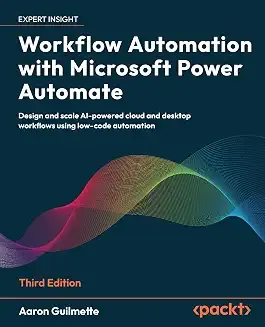
If you work inside Microsoft 365 and you're still moving data between Outlook, SharePoint, and Teams by hand, Workflow Automation with Microsoft Power Automate, 3rd Edition by Aaron Guilmette (Packt) is built to fix that. This review covers who it's for, what it actually teaches, and where it falls short.
Who Should Read This Book
The book targets information workers, citizen developers, and power users with basic Microsoft 365 familiarity — not developers, and not total beginners who have never opened Power Automate. If you've built at least one flow or spent time in the interface, you're the intended reader.
What's Inside
The 3rd edition adds seven new chapters, reflecting how much Power Automate has changed with the rollout of AI Builder and Copilot. Content breaks down into three broad stages:
Foundations
- Getting started with triggers, connectors, and actions
- Automating email, file management, button flows, and push notifications
- Shared flows, conditional logic, expressions and functions
Business process automation
- Single and multi-stage approval workflows, including posting approvals directly to Teams
- Connecting to databases, Microsoft Forms, and Slack
- Handling user input and automating Microsoft Entra ID tasks
RPA and AI
- Robotic Process Automation fundamentals, including automating legacy Access databases and webpages
- AI Builder, generative AI workflows, and sentiment analysis
- (The table of contents extends beyond this — worth checking the sample chapters on Amazon for the full scope)
Strengths
- Practical over theoretical. The book is structured as hands-on tutorials rather than conceptual overviews, so you're building something in most chapters rather than just reading about it.
- Covers ground competitors skip. RPA for legacy applications, AI Builder, and Copilot-assisted flow creation aren't standard content in most Power Automate guides — this one treats them as core material, not an afterthought.
- Governance and scale. Later chapters move past "build a flow" into managing, monitoring, and scaling automations — relevant if you plan to bring this into a team or organizational setting.
- Extras included. Purchase includes a DRM-free PDF and access to Packt's reader, useful if you want a searchable digital copy alongside the physical book.
Where It Falls Short
- Power Automate's interface and AI features evolve quickly. Even a current edition can drift from the live product within months — expect to supplement with Microsoft's official documentation for the newest features.
- Some Microsoft 365 familiarity is assumed, so absolute beginners may want a shorter primer before starting here.
Verdict
For anyone automating work inside the Microsoft 365 ecosystem — beyond basic flows into governance, RPA, and AI-assisted automation — this is one of the more current and comprehensive options available.
As an Amazon Associate, I earn from qualifying purchases.